Setting Up Internet Fast: Using 4G/5G Routers While Waiting for Fiber
Moving into a new apartment in Belgium is an exciting milestone, but stepping through the door only to discover that your fiber internet installation is weeks away can quickly derail your work and personal life. Waiting for telecom technicians to run wires and configure outlets is a classic arrival headache. This guide explains how to use 4G and 5G routers to get fast, reliable home internet instantly while you wait for fixed line fiber infrastructure.
The Reality of Internet Installation Delays in Belgium
If you have recently signed a lease agreement in Brussels, Antwerp, or Ghent, you are probably already dealing with administrative hurdles. Settling into a new residence involves juggling commune registrations, setting up utilities, and making sure basic amenities are working. However, securing a fixed broadband internet connection is rarely as simple as clicking a button on a web portal.
Why Fiber Rollouts and Technician Appointments Take Weeks
Belgium is currently undergoing a massive nationwide infrastructure upgrade to replace older copper phone lines and coaxial networks with modern high-speed fiber optics. While this investment ensures fantastic long-term connection speeds, the transition creates significant administrative friction for new residents.
When you sign up with a major national telecom provider, you are rarely assigned an immediate installation date. Technicians must physically evaluate whether your building is already connected to the street’s fiber node. If a drop cable needs to be pulled from the exterior facade into your specific floor, you might face a waiting window that stretches anywhere from ten business days to over a month. If you are navigating this alongside Renting in Belgium: Apartments, Contracts, and Tenant Rights (2027), managing these delay timelines requires a solid backup strategy from day one.
The Infrastructure Bottleneck in Older Belgian Buildings
Belgian architecture is famous for its historic charm, but nineteenth-century townhouse conversions and post-war apartment blocks present unique technical challenges. Thick brick walls, double-plastered ceilings, and narrow utility shafts mean that routing new optical cabling into individual units is labor-intensive.
Landlords and building syndics often require formal notification before technicians drill holes through communal spaces or exterior brickwork. Furthermore, if you are moving into an unfurnished property—where you are already dealing with logistics like Unfurnished Apartments in Belgium: Prepare to Buy Your Own Lightbulbs—discovering that the existing internet wall socket is disconnected or damaged can add another layer of delay. Rather than pausing your work-from-home routine or draining your phone’s cellular battery, setting up a wireless cellular router bridges this connectivity gap seamlessly.
How 4G and 5G Home Routers Work as a Temporary or Permanent Fix
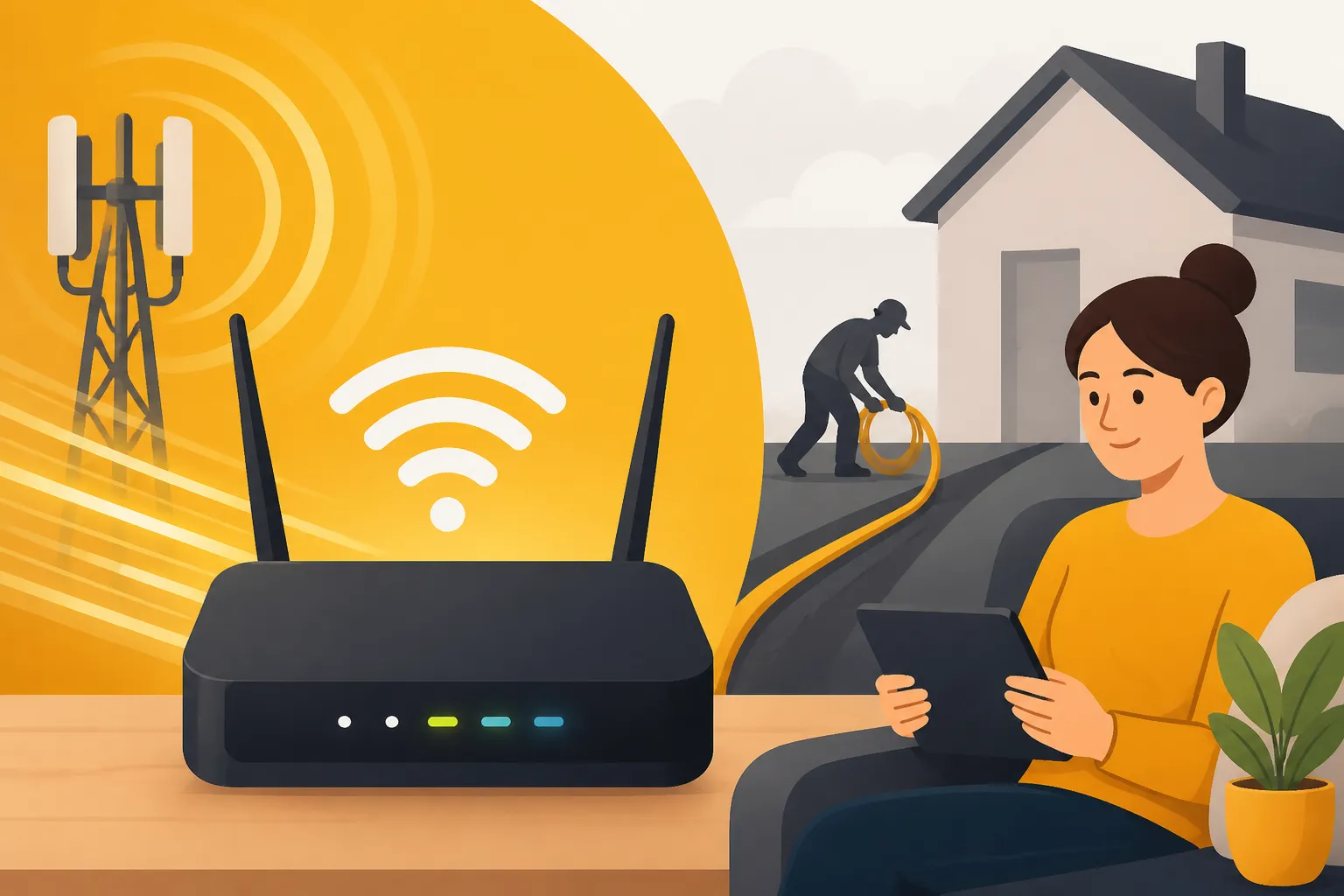
A 4G or 5G home router operates similarly to the standard Wi-Fi box provided by fixed-line internet providers, with one key difference: instead of receiving data through a physical wall cable, it connects wirelessly to nearby cell towers using a regular SIM card. This makes the device completely plug-and-play.
Portable Pocket Wi-Fi vs. Dedicated Plug-In 4G/5G Routers
When choosing hardware, it is important to distinguish between small battery-powered travel hotspots (often called MiFi devices) and stationary desktop cellular routers.
Battery-powered pocket devices are fine for light web browsing on a laptop while sitting in a cafe, but they generally struggle to maintain stable connections for multiple devices across a full working day. They tend to overheat when constantly plugged in and have limited Wi-Fi broadcast range through inner plaster walls.
For a proper home setup, you want a dedicated stationary 4G or 5G router that plugs directly into a wall power outlet. These units feature larger internal or external antennas designed to latch onto distant cellular frequency bands, providing much higher stability, lower latency, and better local Wi-Fi coverage across several rooms.
Selecting the Right Hardware and Mobile Connectivity Options
If you booked a temporary apartment through a platform like HousingAnywhere while searching for a long-term home, you might already know how frustrating erratic shared Wi-Fi can be. Having your own cellular hardware gives you complete independence.
To get set up within twenty-four hours of receiving your apartment keys, you can order a standalone dual-band 4G or 5G desktop router on Amazon Belgium and have it shipped directly to your new address or a local pickup point. Modern routers accept standard nano-SIM cards and require zero software configuration; you simply insert the SIM card, plug the unit into the wall, and connect your devices using the Wi-Fi credentials printed on the bottom sticker.
For international arrivals who need data the exact minute their plane touches down at Brussels Airport, grabbing an instant digital data profile via Airalo gives you instant connectivity for navigation and communication while you complete your initial administrative paperwork and wait for a local physical SIM card to arrive by post. Once you are settled, you can evaluate local cellular network providers by reviewing Internet and TV Providers: Proximus, Telenet, and VOO Compared to decide which network offers the strongest signal inside your specific commune.
Step-by-Step Guide to Setting Up Your 4G/5G Router Routine
Setting up cellular home internet requires a slightly different approach than traditional cable setup. Because mobile network signals fluctuate based on physical obstacles and local tower traffic, strategic positioning makes all the difference.
Checking Cellular Coverage Maps Before Buying a SIM
Before picking a network provider for your router, check the official coverage maps maintained by the Belgian telecom regulator (IBPT/BIPT) or the individual operators (Proximus, Orange, and Telenet). While urban centers like Brussels, Antwerp, Ghent, and Liège have widespread 5G coverage, specific streets or lower-ground apartments can experience signal shadows due to surrounding high-rise buildings.
Selecting a flexible provider or exploring Mobile Operators Without Contracts: Mobile Vikings and Hey Telecom allows you to test network speeds on a monthly basis without locking yourself into a lengthy commitment while awaiting your fixed fiber installation.
Positioning Your Router for Maximum Signal Strength and Speed
Where you place your 4G/5G router inside your apartment directly impacts your download and upload performance. Follow these practical steps to optimize your signal:
- Place the device near a window: Position the router on a windowsill or table facing the exterior street rather than deep inside an interior room or hallway.
- Elevate the router: Keep the unit off the floor. Setting it on a bookshelf or desk gives the internal antennas a clearer line of sight toward exterior cellular towers.
- Avoid thick masonry barriers: Keep the device away from thick concrete walls, heavy metal appliances, mirrors, and large metallic objects that reflect radio waves.
- Separate 2.4 GHz and 5 GHz Wi-Fi bands: If your router supports dual-band Wi-Fi, assign your work laptop and streaming television to the 5 GHz band for faster local network speeds, while keeping smart devices on the 2.4 GHz band.
If you rely heavily on remote video conferencing due to Working From Home (Télétravail) Allowances in Belgian Contracts, test your connection speeds at different times of day. Cellular networks can experience brief throughput dips during peak evening hours when residential mobile traffic spikes.
Managing Data Caps and Fair Usage Policies
While many Belgian mobile plans are marketed as unlimited, almost all cellular networks enforce a “Fair Usage Policy” (FUP). This means that after consuming a specified threshold of high-speed data within a single billing cycle (typically ranging between 80 GB and 300 GB depending on the plan), your speeds may be throttled down to a basic connection rate until the next billing month begins.
To prevent running out of high-speed bandwidth before your fiber technician arrives, adjust high-bandwidth settings across your devices:
- Lower video streaming resolution from 4K down to Full HD (1080p) on streaming platforms.
- Pause automatic cloud backups for large photo libraries or system disk images during working hours.
- Schedule large software updates or video game downloads to run over off-peak overnight hours if your network provider offers unmetered night bandwidth.
- Use local utility tools and Essential Belgian Apps to Download: SNCB, Itsme, Payconiq, and TooGoodToGo on your smartphone over standard mobile data to keep your main router bandwidth clear for work tasks.
Comparing Temporary Mobile Broadband Solutions
To help you decide which temporary setup fits your budget and home working requirements, the table below outlines the primary differences between common mobile internet workarounds used by expats in Belgium:
| Feature / Metric | Dedicated 4G/5G Desktop Router | Smartphone Mobile Hotspot | Travel eSIM Profile | Fixed Fiber Line (Long-Term) |
|---|---|---|---|---|
| Setup Time | Instant (Plug and play) | Instant | Instant (Digital download) | 2 to 6 weeks waiting time |
| Connection Stability | High (Multi-antenna system) | Moderate to Low | Moderate | Excellent (Symmetrical latency) |
| Multi-Device Support | 30+ simultaneous devices | 2 to 5 devices maximum | Single device usually | Unlimited household devices |
| Hardware Investment | Medium (Requires router device) | None (Uses existing phone) | None | Standard router included in contract |
| Data Usage Allowance | High (Subject to FUP limits) | Drains phone plan limits fast | Tiered byte packages | Truly Unlimited |
| Primary Use Case | Whole-apartment work & streaming | Brief emergency email access | Immediate airport arrival data | Long-term home internet foundation |
Financial and Operational Considerations
Investing in a standalone cellular router provides immediate peace of mind, eliminating the anxiety of missing remote work meetings or waiting endlessly for local infrastructure approvals. When factoring in the overall administrative burden of setting up a new home—detailed in guides like Utilities and Home Setup: Electricity, Water, Gas, and Internet—spending a small upfront amount on flexible wireless hardware is often well worth avoiding the frustration of being disconnected.
Navigating foreign administrative processes can easily lead to Handling Belgian Bureaucracy Burnout: Mental Health for Expats. Having a reliable, self-controlled internet connection on your first day in a new home eliminates one of the most common sources of initial relocation stress.
Transitioning to Fixed Fiber and Repurposing Equipment
Once your telecom provider finally confirms your physical installation slot, you can prepare for a smooth transition back to traditional wired broadband without throwing away your mobile setup.
What to Expect During the Fiber Technician’s Visit
On the day of your installation appointment, ensure the technician has unobstructed access to:
- The building’s central basement or utility room where the main distribution point enters from the street.
- The physical hallway walls between your front door and the intended router location.
- Electrical power outlets near the designated entry point.
The technician will install a small fiber termination box (ONNT) on your interior wall, connect it to their dedicated brand-specific router via an Ethernet cable, and test line attenuation. Once green indicator lights confirm an active WAN link, you can switch your laptops, phones, and smart TVs over to your permanent home Wi-Fi network.
How to Repurpose Your 4G/5G Router for Long-Term Value
Once your fixed fiber connection is fully active, do not pack away your cellular router or sell it off unnecessarily. Having a backup mobile router offers long-term benefits for expats living in Belgium:
- Instant Backup Network (Failover): If a street construction team accidentally cuts a fiber line in your neighborhood, you can insert a cheap pre-paid SIM into your 4G/5G unit and regain instant home internet within seconds.
- Domestic Holiday Travel: Planning a weekend escape to a rural gîte in the Ardennes or a beach apartment along the Belgian coast? Bring your cellular router along to ensure stable Wi-Fi for your family without relying on weak property networks.
- Easy Relocation for Future Moves: If you change apartments within Belgium at the end of your lease, your cellular router ensures you will never have to face a internet blackout period in your next home.
Integrating a temporary cellular router into your relocation strategy is one of the simplest ways to complete your initial move-in tasks smoothly, keeping you connected from the moment you unpack your first box as part of Surviving the First 90 Days: Ultimate Move-in Checklist.
Disclaimer
This article is for general informational purposes only and does not constitute professional advice. Laws, prices and regulations vary by location and change over time. Consult a qualified professional for guidance on your specific situation.