Logging into Tax-on-web using Itsme or an eID Card Reader
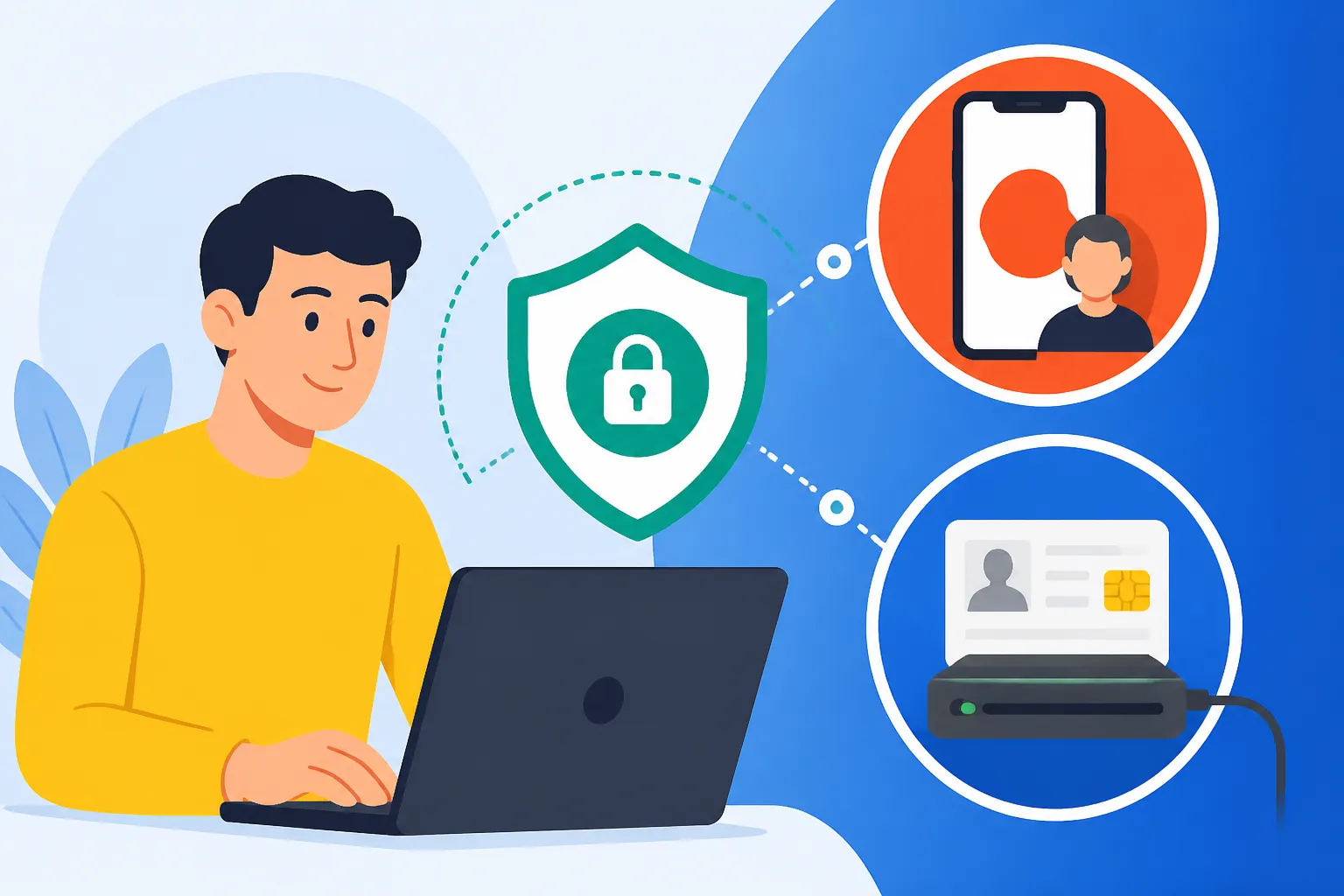
Trying to navigate the Belgian digital administration can feel like being trapped in a labyrinth where all the signs are written in a mix of legalistic French and Dutch. I remember my first tax season in Brussels, sitting at my kitchen table with a tangled USB cord and a plastic card reader that refused to acknowledge my existence. This guide solves that exact frustration by walking you through every step of logging into Tax-on-web using both Itsme and the traditional eID reader.
The Gateway to Belgian Finance: Understanding MyMinfin and Tax-on-web
Before we dive into the technical "how-to," it is essential to understand what you are actually logging into. In Belgium, the primary portal for all things related to the Ministry of Finance is called MyMinfin. Within this portal resides the specific application for your tax declaration, known as Tax-on-web. For most expats, this is the most critical digital tool you will use annually, yet the entry requirements are strict to ensure your data remains protected.
When you first land in the country, the sheer volume of paperwork can be overwhelming. From Registering at the Commune: The 8-Day Rule After Arrival to receiving your physical residency card, every step is a prerequisite for digital access. You cannot simply create a username and password with an email address to see your tax files. The Belgian government requires a high-security "Digital Key," which is why you must use either the Itsme app or a physical eID card reader.
The portal is not just for filing your annual return; it is also where you can view your real estate holdings, check for any outstanding fines, and manage your Social Security in Belgium: Employer and Employee Contributions. If you have been working in Belgium for a while, your MyMinfin account will also store your past tax assessments, which are often required when applying for a mortgage or a Residence Registration: Annexes, Communes, and the eID Card. Understanding this portal is the first step toward financial literacy in your new home.
Why Digital Keys are Non-Negotiable
Belgium takes data privacy incredibly seriously. Because your tax return contains sensitive information—including your income, family composition, and even bank account details—the authentication process must be foolproof. Unlike simple two-factor authentication used by some social media sites, the Belgian CSAM (the government’s identity management system) uses cryptographic keys tied directly to your National Register number.
Whether you are checking your Taxes in Belgium for Expats: Personal Income Tax System 2026 or declaring your foreign investments, these digital keys ensure that you—and only you—can access the data. This level of security is comparable to what you might find when managing assets on high-security financial platforms like Trade Republic or other regulated investment tools.
The Role of the National Register Number
Your key to the kingdom is your National Register number (numéro national / rijksregisternummer). This 11-digit number is found on the back of your eID card. Without this number being fully "active" in the state's database, neither Itsme nor the eID reader will work. If you are currently waiting on an Understanding Immigration Annexes: Annex 8, Annex 15, and Annex 49, you might find that your digital access is limited until the physical card arrives and the police have verified your address.
The Itsme Method: The Modern Expat’s Savior
If you value your sanity, Itsme will quickly become your favorite app in Belgium. It is a digital identity app that replaces the need for card readers, passwords, and tokens. It is widely used by banks, insurance companies, and government portals. Once configured, logging into Tax-on-web becomes a matter of clicking a button on your phone and entering a 5-digit PIN or using your fingerprint.
The beauty of Itsme is its portability. I’ve filed my tax return while sitting in a cafe, simply because I didn't need to carry a bulky card reader with me. It creates a seamless bridge between your identity and the MyMinfin portal. However, setting it up for the first time requires that you already have an active Belgian bank account or a working eID card and reader to "vouch" for your identity.
Setting Up Your Itsme Account
To begin, you need to download the Itsme app from the App Store or Google Play. To link your identity, you have two main paths. The first is through your Belgian bank (such as BNP Paribas Fortis, KBC, or ING). If you have their banking app installed, Itsme can verify your details through the bank’s existing secure connection. This is often the fastest route for newcomers who have just finished Opening a Belgian Bank Account: Documents Needed and Roadblocks.
The second path is using your eID and a card reader on a computer. You will go to the Itsme website, insert your card, and follow the prompts to link your mobile phone number to your National Register number. This process is very similar to the identity verification steps you might encounter when setting up an international transfer service like Wise to move your relocation funds. Once the link is established, your phone becomes your digital "passport" for all Belgian government sites.
Logging into Tax-on-web with Itsme
Once your Itsme account is active, logging into the tax portal is incredibly straightforward. Follow these steps:
- Navigate to the MyMinfin / Tax-on-web login page.
- Select "Login via Itsme" (usually represented by a bright orange square).
- Enter your mobile phone number.
- Open the Itsme app on your smartphone.
- Confirm the login request by clicking "Confirm" and then "Log in."
- Select the icon on your phone that matches the one shown on your computer screen (this is a security measure to ensure you are the one initiating the request).
- Enter your 5-digit Itsme code or use FaceID/TouchID.
Within seconds, the browser on your computer will refresh, and you will be inside the MyMinfin dashboard. From here, you can proceed to How to File Your Income Tax via Tax-on-web (MyMinfin) and start the actual declaration process.
The eID Card Reader Method: The Old-School Backup
While Itsme is the gold standard for convenience, there are times when it fails, or you might not have a compatible smartphone. In these cases, the physical eID card reader is your fallback. This is a small USB device into which you slide your Belgian residency card. While it feels a bit "1990s," it is an incredibly robust way to access your data because it reads the chip on your card directly.
I always recommend that expats keep a card reader in their desk drawer. You can buy them for about 15 Euros at electronics stores like Vanden Borre or even at some local supermarkets. Some laptops even have them built-in. However, the hardware is only half the battle; you also need the correct software installed on your computer to bridge the gap between the reader and your browser.
Installing the eID Middleware
To use the reader, you must download the "eID Viewer" or middleware from the official Belgian eID website (eid.belgium.be). This software is available for Windows, Mac, and Linux. Once installed, you should be able to insert your card into the reader and see your photo and personal details appear in the eID Viewer application. If the viewer can't read your card, the tax portal won't be able to either.
Troubleshooting the middleware is a common expat headache. If you are on a Mac, you may need to grant specific permissions in your "Security & Privacy" settings. Furthermore, specific browsers like Chrome or Firefox might require an additional "eID Extension" to be installed from their respective web stores. If you are managing complex financial portfolios or Declaring Foreign Bank Accounts to the Belgian National Bank (NBB), having a stable eID setup is vital for downloading official certificates and signing PDF documents digitally.
Stepping Through the eID Login Process
Once the software is running correctly, follow these steps to access Tax-on-web:
- Connect your card reader to your computer.
- Insert your Belgian eID card (chip side up).
- On the MyMinfin login page, select "Login with eID card reader."
- A pop-up window will appear asking you to select a certificate. Usually, there will be two options; select the one labeled "Authentication."
- A second pop-up will ask for your PIN. This is the 4-digit code you received in the mail (or at the commune) when you picked up your residency card.
- If you have forgotten your PIN, you will unfortunately need to visit your commune to have it reset, which can delay your filing past the When is the Belgian Tax Return Deadline for Individuals?.
| Feature | Itsme App | eID Card Reader |
|---|---|---|
| Portability | High (Smartphone only) | Low (Requires USB device) |
| Initial Setup | Easy (via Bank) / Moderate (via eID) | Moderate (Requires software/drivers) |
| Security Level | State-Certified Biometric | Physical Chip + PIN |
| Cost | Free | 10 – 20 EUR for the reader |
| Browser Compatibility | Excellent (Universal) | Variable (Requires Extensions) |
Troubleshooting Common Login Errors
Even with the best preparation, Belgian technology can be temperamental. One of the most common issues is the "Certificate Error." This usually happens when your browser "remembers" an old or expired session. If you see this, the first step is always to clear your browser cache or try opening the portal in an Incognito/Private window.
Another frequent hurdle is the timing of your card's validity. If you have recently renewed your residency permit, your old eID might still work for physical identification but might have been deactivated for digital signatures. This is a common pain point for those moving between Changing Your Mutuelle/Ziekenfonds: When and How to Switch and other administrative tasks where your ID is scanned frequently.
Itsme "Identity Not Found"
If Itsme tells you that it cannot find your identity, it is likely because the information held by your bank does not perfectly match the information on your eID. For example, if your bank has your name as "John D. Smith" but your eID says "John David Smith," the link might fail. In this case, you will need to go to your bank branch and ask them to update your profile using your eID card so the databases sync up. This is a crucial step if you also plan to use your ID for high-value transactions or when declaring assets held on platforms like Binance or other international exchanges.
Reader Not Detected
If your computer says "No Reader Found," check your USB ports. Many modern laptops use USB-C, and using a cheap adapter can sometimes interfere with the data transmission required for the eID. Always try to plug the reader directly into the computer if possible. Also, ensure that your eID card is clean; a bit of dust on the gold chip can prevent a successful login.
Security Best Practices for Digital IDs
While the Belgian government provides the tools for secure login, the responsibility of keeping your identity safe lies with you. Never share your Itsme PIN or your eID PIN with anyone—not even someone claiming to be from the tax office. The Belgian Ministry of Finance will never call you and ask for these codes.
If you lose your smartphone, go to the Itsme website immediately on another device to block your account. Similarly, if you lose your eID card, you must call "DOCSTOP" to have the certificates revoked. Protecting your digital identity is just as important as protecting your financial assets. Whether you are building a savings buffer or Building Wealth: Investing, Savings Accounts, and Pensions in Belgium, your digital "key" is the most sensitive piece of information you own.
Using these digital tools properly allows you to stay on top of your obligations, such as Social Security Contributions: How Employers Deduct Health Costs, without having to wait in line at a physical office. With Itsme or a reliable card reader, you are fully equipped to handle the Belgian "Paperwork Monster" from the comfort of your own home.
Disclaimer
This guide is provided for informational purposes only and does not constitute official legal, financial, or tax advice. While every effort has been made to ensure the accuracy of the information provided as of 2026, Belgian administrative procedures and software requirements are subject to frequent changes. For specific technical support or legal questions regarding your tax status, always consult the official FPS Finance website (finances.belgium.be) or a qualified Belgian tax professional.