KBC Mobile App: Using English Settings for Easier Banking
Landing in Belgium often feels like a masterclass in bureaucratic endurance, especially when you are staring at a banking screen filled with Dutch or French terms you do not recognize. I remember my first week in Brussels, trying to decipher what a "overschrijving" was while standing in a busy supermarket line, feeling the heat rise in my neck as people waited behind me. This guide solves that specific anxiety by walking you through the KBC Mobile app's English settings and features to ensure your financial life in Belgium is as seamless as possible.
Navigating the Language Barrier in Belgian Banking
Belgium is a country defined by its linguistic borders, and while this adds to the cultural richness of living in places like Antwerp or Namur, it can make managing your money incredibly stressful. For many expats, the primary hurdle is not the lack of funds, but the lack of clarity. When your bank app sends you an urgent notification in a language you are still learning, your mind immediately jumps to the worst-case scenario. Is my account blocked? Did a payment fail? Using the KBC Mobile app in English removes this psychological weight, allowing you to focus on your life rather than your dictionary.
KBC has positioned itself as one of the most expat-friendly traditional banks in the country, largely because they recognized early on that the international community in Brussels and the various "expat bubbles" in Leuven and Ghent needed English-language tools. Unlike some other institutions where English is an afterthought or only available on a desktop site, the KBC Mobile app is a fully translated ecosystem. This is a significant advantage when you are still trying to figure out Opening a Belgian Bank Account: Documents Needed and Roadblocks and need a reliable home for your first salary deposit.
The beauty of having English as your primary interface is that it allows you to explore the more complex financial products Belgium offers without the fear of misinterpretation. Whether you are looking at savings accounts or trying to understand your spending habits, the clarity of your native language (or a language you are fluent in) is indispensable. While KBC provides a robust platform, many expats also supplement their banking with services like Wise for international transfers or Trade Republic for managing their long-term savings with competitive interest rates. Having your main Belgian hub in English makes it much easier to coordinate between these different financial tools.
Step by Step Guide to Switching KBC Mobile to English
If you have just downloaded the app and it has defaulted to Dutch or French based on your phone's regional settings, do not panic. You do not need to be a polyglot to find the settings menu. Usually, during the initial setup of KBC Mobile, the app will ask for your preferred language. However, if you rushed through the "Welcome" screens—as many of us do when we are tired and just want our bank account to work—you can change it easily within the interface.
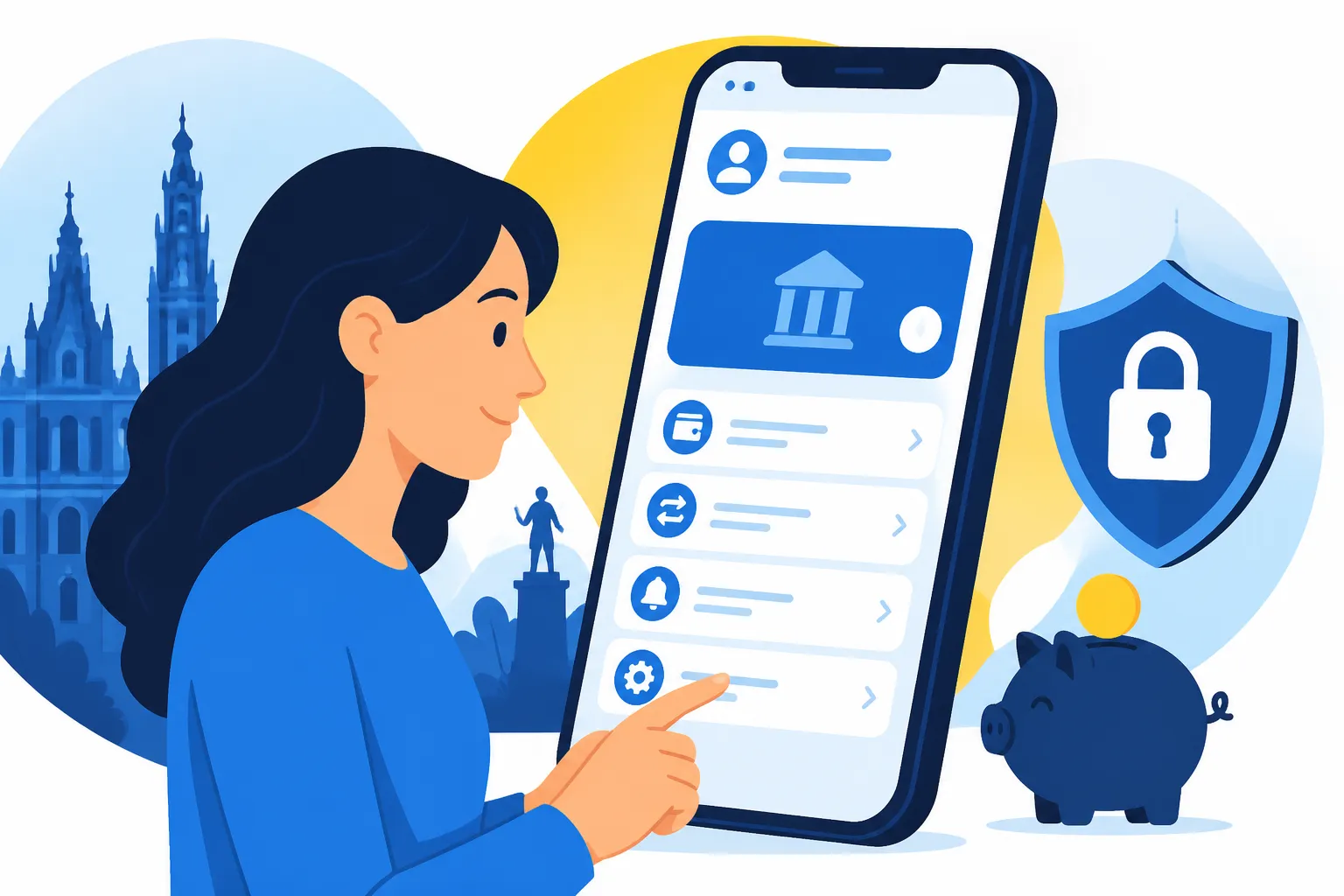
First, open the KBC Mobile app and log in. Look for the "Menu" or "More" icon, which is typically found in the bottom right corner of the screen. Within this menu, you will see a cogwheel icon for "Settings." Inside settings, look for "App Settings" or "Language and Privacy." Here, you can select English from the list. Once selected, the app will usually refresh, and you will suddenly find that "Mijn Rekeningen" has become "My Accounts." This simple toggle is the single most effective way to reduce your daily administrative friction in Belgium.
It is worth noting that KBC operates as KBC in Flanders and KBC Brussels in the capital, while its sibling CBC operates in Wallonia. The KBC Mobile app is the same unified technology across these regions, so the English instructions remain consistent regardless of whether you are living in the shadow of the Atomium or in the heart of Bruges. If you are comparing institutions, you might find that KBC, BNP Paribas Fortis, Belfius, and ING vary in their English support, but KBC consistently ranks at the top for app usability for foreigners.
| Feature | KBC Mobile English Support | Competitor Average |
|---|---|---|
| Core Banking (Transfers) | Full | Partial |
| AI Assistant (Kate) | Full | Limited/None |
| Non-Banking Services (Buses/Trains) | Full | None/Local Only |
| Investment Tracking | Full | Limited |
| Insurance Management | Full | Partial |
Maximizing KBC Mobile Features for the Belgian Expat Life
Once you have the app in English, the real fun begins. KBC Mobile is much more than just a tool for checking your balance; it is a "super app" that integrates many aspects of Belgian life. One of the first things you should set up is the Bancontact and Payconiq: The Backbone of Belgian Payments integration. In Belgium, small merchants and even friends at a bar rarely use cash; they use Payconiq. Through the KBC app, you can scan a QR code at a checkout or a friend's phone and pay instantly. Having the prompts in English ensures you never accidentally send 100 Euros instead of 10.
Another essential integration is Itsme Authentication: How to Set Up Belgium's Vital Digital ID. Itsme is the digital key to almost every government service in Belgium, from checking your tax return to accessing your health records. The KBC app allows you to link your identity directly to Itsme, making the "onboarding" process for your digital ID significantly smoother. I’ve found that trying to set up these accounts in a local language often leads to errors that require a physical trip to the commune—something every expat wants to avoid.
Beyond daily payments, KBC Mobile allows you to purchase public transport tickets directly. You can buy STIB/MIVB tickets for Brussels, De Lijn tickets for Flanders, and even SNCB train tickets without ever leaving the app. This is incredibly helpful because the physical ticket machines at stations can be temperamental and sometimes do not accept foreign credit cards. By using the app, you are essentially using your Belgian bank balance directly. If you find yourself needing to track more diverse assets, like your crypto portfolio on Binance, you will appreciate how KBC keeps your "boring" local finances organized so you have the headspace for your other investments.
Mastering Daily Transactions and Administrative Hurdles
One of the biggest culture shocks for new arrivals is the Belgian obsession with "Domiciliation" or direct debits. Whether it is for your internet, your electricity, or your gym membership, companies will insist on this. In the KBC Mobile app, you can view, manage, and even cancel these mandates with a few taps. Check out our guide on How to Set Up Direct Debits (Domiciliation) for Utility Bills to understand why this is so critical. Having the English interface means you can clearly see which company is requesting money and when the next payment is scheduled.
Scanning bills is another "hidden" feature that saves hours of time. When you receive a "facture" or bill in the mail—which you inevitably will—don't spend twenty minutes typing in a 12-digit structured communication code and an IBAN. KBC Mobile has a built-in scanner. You simply point your camera at the bill, and the app populates all the fields for you. This reduces the risk of human error, which is vital because a single typo in a Belgian bank transfer can lead to a bureaucratic nightmare of reclaiming funds.
If you ever run into trouble, such as a rejected payment or a question about a fee, the app’s English-speaking AI assistant, Kate, can often provide immediate answers. If Kate cannot help, the app allows you to book an appointment or start a chat with a human representative who speaks English. This is a far cry from the days of sitting in a bank branch waiting for a teller. If you are still in the early stages and wondering Why Was My Bank Account Application Rejected in Belgium?, the support staff reachable via the app can often provide the specific feedback you need to resolve the issue.
Troubleshooting and Advanced App Management
As your life in Belgium evolves, your banking needs will too. You might start receiving your How to Read Your First Belgian Payslip (Fiche de Paie) and realize you need a better way to separate your spending from your rent money. KBC Mobile allows you to open "Plus" accounts or digital savings pockets in seconds. For those who want to maximize their wealth, you might even look into Best Brokerage Accounts for Expats in Belgium (Bolero, Keytrade), noting that KBC's own Bolero platform is integrated into the wider KBC ecosystem, though it often requires a separate app.
One common issue expats face is "phone migration." When you get a new Belgian SIM card or a new smartphone, re-linking your KBC Mobile can be a bit of a hurdle. You will usually need your KBC debit card and that ubiquitous Belgian "card reader" (the small white calculator-like device). Having the app in English during this migration process is a lifesaver, as the security prompts are high-stakes. If you lose your card reader, you can often use your eID at a KBC ATM to reset your access, but this is much easier to navigate when you have read the instructions in English first.
Finally, keep an eye on your SEPA Transfers: How Long Do Bank Transfers Take in Belgium? through the app’s history tab. Instant transfers are becoming the standard, but international moves can still take time. If you are moving large sums for a house deposit or a car, the KBC app's clear English "Status" updates will tell you exactly where your money is. While neobanks are popular, as discussed in Online and Neobanks in Belgium: Keytrade, Argenta, and Revolut, having a "Big Four" bank like KBC with a full English app provides a level of security and local integration that is hard to beat for a long-term resident.
Disclaimer
This guide is for informational purposes only and does not constitute financial, legal, or professional advice. Banking features, app interfaces, and terms of service in Belgium are subject to change by the financial institutions. While we strive to provide the most up-to-date information for 2026, always verify specific details directly with KBC or your chosen financial provider. The author is an expat sharing personal experiences and research, not a representative of KBC Bank NV.